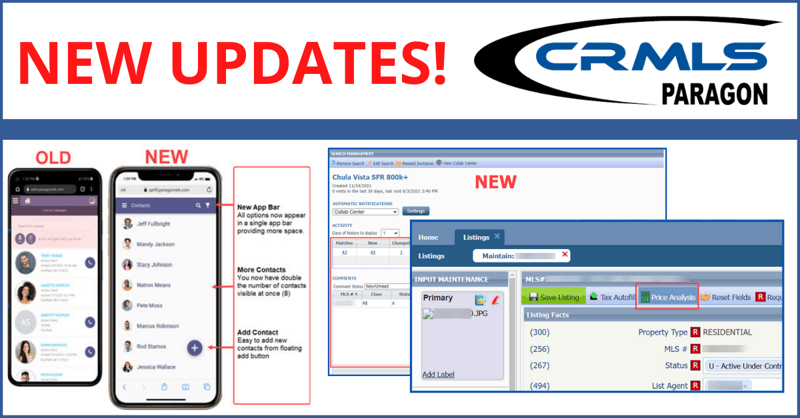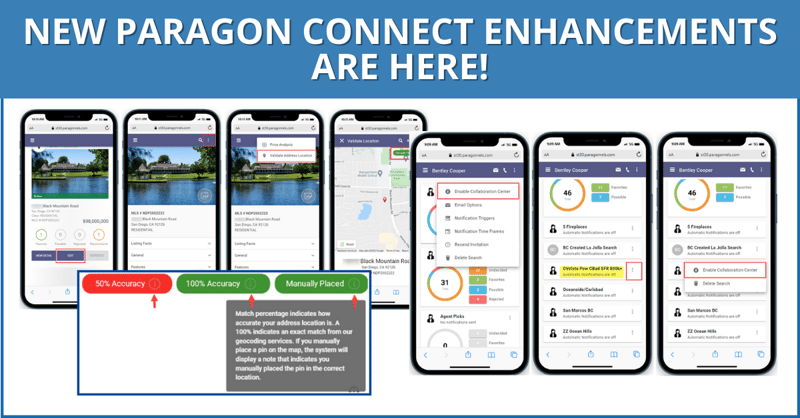
The latest update features new widgets, updated email layouts, and other enhancements to Paragon and Paragon Connect.
Sharing Listings
In Paragon Connect, there are two options to share a listing:
- Share with public
This option uses CollabLink to share listings with the same public-safe options as before. It includes a reminder to users that it only displays publicly permitted fields.
- Share with members
This new section is designed for sharing with other authorized Paragon Connect users. Features include:
- Email
Send listing reports directly to other agents. Emails sent this way include a Lookup button in the recipient fields (To, CC, and BCC), support selecting one or more agents, and will appear in the Message History for both the sender and related member. - Copy Link
Automatically copy a link to share the Paragon Connect detail view of the listing(s). A confirmation message will appear after copying.

New Widget – Sell Side Tracking
The new Sell Side Tracker widget monitors buyer interest and activity. Add up to three Sell Side Tracker widgets per listing on the dashboard.
The widget tracks:
- Contact: Assigned contact for the listing
- Status: Current listing status
- Days on Market: How long the property has been active
- Possible/Rejected/Undecided: Buyer interest indicators
- Total Agent Views: Number of times the agent viewed the listing
- Unique Agent Views: Individual unique agent views
- Total Client Views: Total consumer views
- Unique Client Views: Individual unique consumer views
- Recommended: Number of times the listing was recommended
- Open Houses: Scheduled open house count
- Tours: Number of property tours scheduled
- Agent Comments: Number of times an agent commented on the listing
- Buyer Comments: Number of times a buyer commented on the listing
- Shares via Email: Number of times the listing was shared via email
- Shares via Facebook: Number of times the listing was shared on Facebook
- Showing Requests: Number of requested showings
The Sell Side Tracker widget refreshes every 24 hours. Green + indicators highlight new activity.
Redesigned Listing Thumbnail Results
Use the updated thumbnail cards to see more details and listings on the results page.
Unpublished Listings
Scan and manage multiple listings with the new thumbnail layout.
Published Listings
Maintain listings more easily with the enhanced published listing thumbnails.
Thumbnails include:
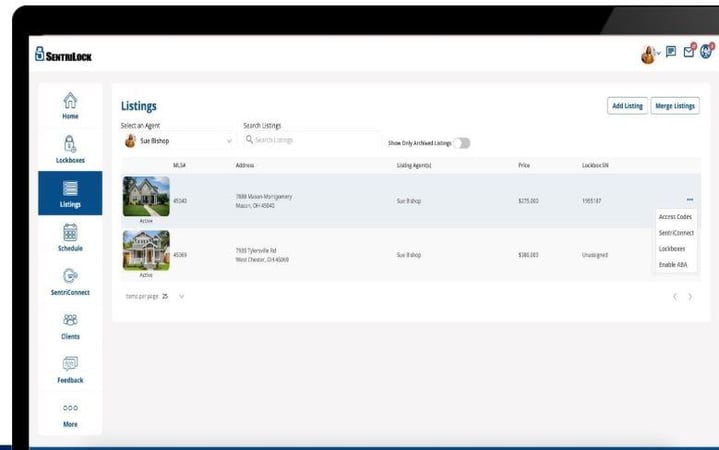
- Seller Contact Management: Assign or unassign a seller contact
- Quick Access Buttons: Launch the listing insights report, edit option, and media gallery directly from the thumbnail photo

Option to Disable Help Tips
Disable help tips from the overflow menu during listing maintenance.
Listing Form Container Behavior
The listing form now expands all containers automatically. Use the search bar to move up specific fields to the top of the page.
Simplified Filtering for Published Listings
Use the listing filter to search and filter specific listings based on select criteria.
Copying Unpublished Listings
The copy listing feature now extends to unpublished listings.
More Recognizable Icons for Opening Search/Listing Modals
The UI now has a magnifying glass icon to open modules and clearly distinguishes dropdowns from modals for advanced search or content selection.
Agent Notification – Emails
Agent notification emails now have an updated look and format.
Email Update – Comments Sent to Agent
When a contact makes a comment, agents receive an automatic dedicated email notification. In the Paragon Connect app, the email notification button links directly to the comments page. In the Paragon Connect, the link opens to the same page in the web-based version of the system.
Categorized Listings Email
Receive an email summary of new categorized listings from the past 7 or 30 days (frequency based on notification settings). For easy identification, each email is labeled with the contact’s name.
Create/Modified Searches for Contacts
When a contact creates or modifies a search, it triggers a standalone email containing the contact’s details, name, and full search criteria. Click the view search button for instant access.
Agent Preview Listing Approval
In Paragon Connect, agents receive an Agent Preview Listing Approval email that displays the number of changes at the top of the page and highlights contact details. Click the Review Listings button for instant access to approve or decline new listings in the client’s search.
Enhanced Document Display in Detail Report & Media Gallery
In Paragon Connect, distinguish between public and private documents with new labels in the updated Detail Report and Media Gallery, both featuring cleaner layouts.
Open House & Tour Multi-Date Selection
Use the updated calendar to select multiple individual dates when creating tours or scheduling multiple open houses. Note: The individual dates selected do not have to be consecutive.
Collaboration Center – Dashboard Widget Updates
Access widgets more intuitively with the collaboration center dashboard’s new, cleaner layout.
Seamless Deep Linking to the Paragon Connect Mobile App
Click the email link to automatically to see which listings are set to expire in the mobile app.
Save Agent Contacts on Mobile
Save agent contact details directly from the listing detail report page in Paragon Connect. Click the Save to Phone button to open the application with all relevant contact information completed.
Read Paragon's Knowledgebase article for a full list of recent updates
CRMLS offers a variety of resources to educate you on our products and services. Click above to visit the CRMLS training center.
If you need MLS support, please click above or call (800) 925-1525
Your listing data is safe, clean, and accurate. Click above to chat live with a CRMLS Compliance representative.
Read Paragon's Knowledgebase article for a full list of updates.


.png?width=760&height=200&name=blog%20banner_%20Q4%20Good%20Neighbor%20(2).png)

Eight years ago, Nada turned a personal promise into a reality by founding the Nada Benny Scholarship at El Cajon Valley High School. What began as a small initiative has flourished into a significant community pillar, having provided financial assistance to 52 sensational students to date. Nada’s motivation stems from a desire to see young people pursue higher education, whether to become doctors, lawyers, or engineers, without compromising their future financial stability or their ability to eventually achieve the dream of homeownership. She is also proud of her scholars who have gone to trade school route and have been doing excellently. By easing the weight of student loans, she is helping her scholars build a foundation for lifelong success..png?width=750&height=197&name=blog%20banner_%20Q4%20Good%20Neighbor%20(1).png)


The California Department of Real Estate (DRE) recently released several critical updates that every REALTOR® should review to start the new year informed and protected. From annual performance data to urgent fraud warnings, here is what you need to know.